Choosing a Thermal Management Cooler starts with a practical question: what heat must the system remove, and under which conditions? A cooler that performs well in a laboratory may behave differently inside a crowded cabinet, beside a warm motor, or in a dusty workshop. Real operating details matter.
Begin with the equipment’s heat load, ambient temperature, available airflow, and installation space. Check the cooler’s rated capacity and the conditions behind that rating. A number on a specification sheet is useful, but it is not the whole story. The enclosure, nearby heat sources, and blocked vents can all affect performance. Small details count.
Noise, power use, maintenance access, and moisture exposure also deserve attention. For example, a unit installed above a production line may need quieter operation and easy filter access. A cooler tucked into a sealed control cabinet may require a different approach. The best choice depends on the job, not on a single impressive feature.
A Thermal Management Cooler can help protect sensitive components from excess heat and support steadier operation. Still, no product removes every risk. Selection should be based on reliable specifications, clear operating limits, and, where possible, testing under realistic conditions. That takes care. It is also worth reviewing the choice after installation; actual temperatures may reveal assumptions that looked reasonable on paper but need adjustment.
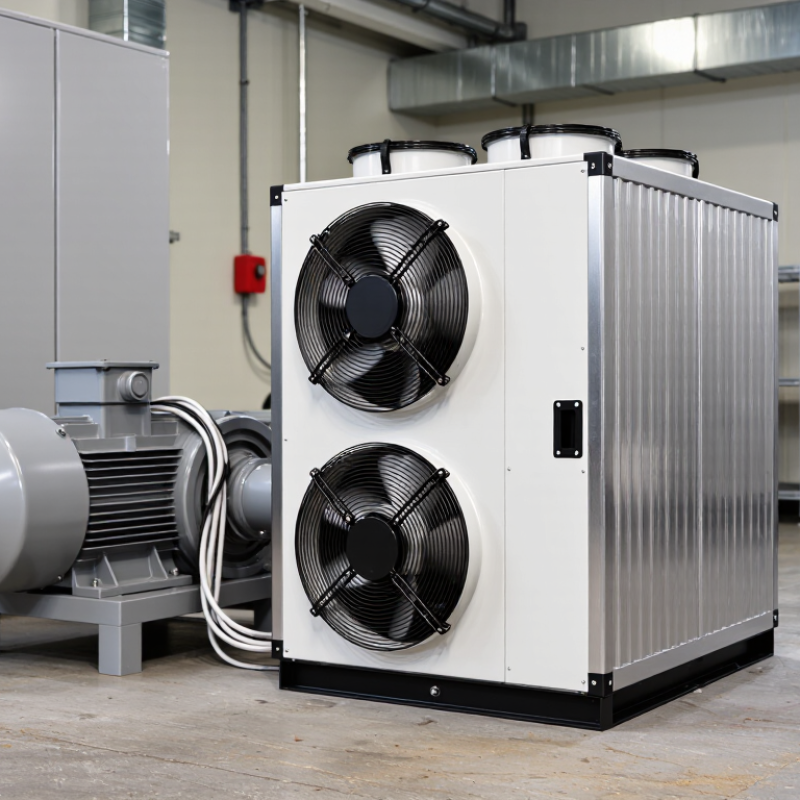
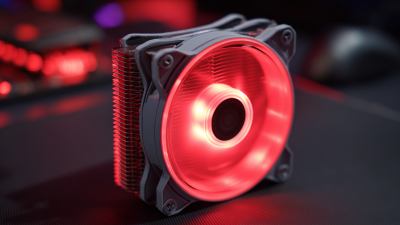
A thermal management cooler is a system that moves unwanted heat away from electronics, batteries, or other heat-sensitive equipment. It may use a fan to push air across hot surfaces, or a pump to circulate liquid through cold plates and a heat exchanger. The warmed fluid then releases heat elsewhere. Heat has somewhere to go. Sensors and controls adjust cooling as temperatures or workloads change, helping equipment stay within its operating range.
For data centers, ASHRAE’s 2021 Thermal Guidelines for Data Processing Environments recommend inlet air temperatures of 18–27°C for many equipment classes. That range is a practical reference, not a universal setting; equipment specifications and room conditions matter. The International Energy Agency’s Energy and AI report estimates data-center electricity use could reach about 945 TWh by 2030, up from roughly 415 TWh in 2024. That growth makes efficient heat removal increasingly important. One detail is easy to miss: a powerful cooler cannot compensate for poor airflow, clogged filters, or weak contact between a cold plate and its component. In real installations, those small faults can make temperature readings uneven. Sizing and placement deserve as much attention as cooling capacity.
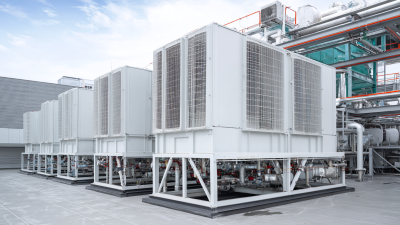
A thermal management cooler removes excess heat before it builds up around sensitive equipment. Stable temperatures help reduce stress on electronics, motors, and control components. Heat is relentless. In an electrical enclosure, even a small hot spot near a power supply can shorten component life or cause intermittent faults. Cooling helps limit that risk and supports more predictable operation.
Performance depends on more than the cooler’s rated capacity. Ambient temperature, enclosure size, internal heat load, airflow, and filter condition all matter. A technician can check temperatures at several points during normal operation, not just at the enclosure door. Look for uneven readings, blocked vents, or dust collecting around filters. Small details count. Cooling is not a cure-all: poor sealing or an undersized unit can leave equipment running hot. And, honestly, selecting capacity from a rough estimate alone is not ideal. Leave room for real operating conditions, then review temperature readings after installation. Regular checks help reveal when a filter needs cleaning or the cooling system needs attention.
A thermal management cooler helps equipment stay within a controlled temperature range, even when workloads rise or room conditions change. Stable temperatures reduce stress on components such as power supplies, processors, and batteries. This can lower the risk of heat-related faults and unplanned service stops. Small gains matter. A cabinet that stays several degrees cooler may also protect nearby wiring and connectors. Still, cooling cannot prevent every failure. Dust, blocked airflow, or a failing fan can undermine the setup, so regular inspection remains essential.
Energy efficiency depends on matching cooling capacity to the actual heat load. An oversized unit may cycle frequently and waste power, while an undersized one can run constantly without controlling temperatures. Measure equipment heat output and check airflow paths before selecting a cooler. Track temperature and energy use after installation; real operating conditions may differ from estimates. That detail is easy to overlook. Adjusting fan settings or improving ventilation can sometimes reduce energy use without replacing equipment.
Tips: Keep intake and exhaust vents clear, clean filters on a set schedule, and record temperature readings during peak use. If readings drift upward, inspect airflow before assuming the cooler itself is failing.
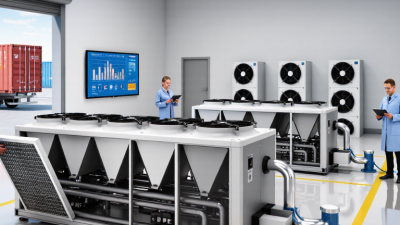
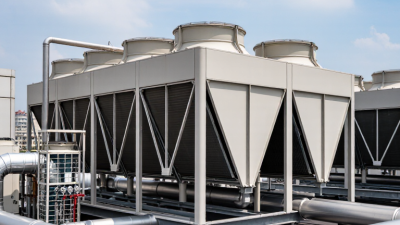
Thermal management coolers help control heat in equipment that must run steadily. In manufacturing plants, they protect motor drives, hydraulic units, and compact control cabinets from heat buildup. A cooler can keep components within their specified operating range, but correct sizing depends on ambient temperature, enclosure airflow, and the heat load during actual production. Heat adds up.
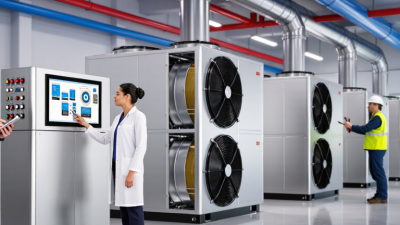
Data centers use cooling systems to remove heat from server racks and reduce the risk of thermal throttling. In medical imaging rooms, coolers help manage heat from scanners and supporting electronics, where stable operation matters. Food-processing facilities may use process coolers to maintain temperatures in production equipment and chilled circuits. Telecom cabinets and renewable-energy inverters also need cooling, especially in outdoor locations with dust, sun, or limited airflow.
The details vary by site. A cooler that performs well in a clean test room may struggle beside a hot furnace or in a tightly packed cabinet. It is worth checking operating temperatures, maintenance access, noise limits, and whether air or liquid cooling suits the installation. The specification sheet rarely tells the whole story. A blocked filter, an undersized vent, or a changed production schedule can alter the thermal load; these practical factors deserve attention during equipment selection.
Choosing a thermal management cooler starts with the heat the equipment actually produces, not its advertised peak rating. Check the heat load in watts and the highest expected ambient temperature. A unit that performs well in a cool test room may struggle beside a sunlit window or inside a crowded cabinet. Leave room for real operating conditions. Measure twice.
Next, compare the required temperature range with the cooler’s capacity and control accuracy. Sensitive electronics may need steadier temperatures than general machinery. Look at the available space, mounting points, airflow paths, and power supply before choosing a model. A compact cooler can seem ideal until cables block its intake. That detail matters.
Consider noise, service access, and maintenance needs, too. Filters may collect dust, while fans and pumps can require inspection over time. In a damp or dusty setting, check whether the enclosure and connections suit the environment. Also confirm that alarms or monitoring can flag a temperature rise early. These details are easy to overlook. Finally, compare operating costs across a typical day, not just purchase prices. Capacity figures depend on test conditions, so verify them against your installation. A small uncertainty may remain; a trial under representative load can expose it before full deployment.
Compare the heat load, temperature limits, operating conditions, and maintenance needs before selecting a cooling solution.
| Factor | What to Evaluate | Practical Guidance | Why It Matters |
|---|---|---|---|
| Heat load | Maximum heat generated by the equipment, measured or estimated in watts (W). | Size the cooler for the worst-case continuous load, and account for short-duration peaks separately. | A cooler that cannot remove the generated heat will allow component temperatures to rise. |
| Required thermal resistance | The allowable temperature rise from the heat source to the cooling environment. | For a simplified system, use Rθ ≤ (Tlimit − Tambient) ÷ Q. For example, a 100 W load with an 80°C limit in a 35°C ambient environment requires a total path resistance no greater than 0.45°C/W. | This connects heat load and temperature limits to a measurable cooling target. Include interface and enclosure resistance in the full thermal path. |
| Cooling method | Forced air, a liquid cold-plate loop, thermoelectric cooling, or heat pipes/vapor chambers. | Forced air is often simpler to install; liquid systems can suit concentrated or high heat loads; thermoelectric modules can cool below ambient but need hot-side heat rejection; heat pipes and vapor chambers spread heat to a separate heat sink. | Each method has different requirements for space, power, plumbing, controls, and heat rejection. |
| Ambient and coolant temperature | Highest expected surrounding-air temperature or coolant inlet temperature. | Use the maximum operating condition rather than a typical room temperature. Check for condensation if any surface may fall below the surrounding air’s dew point. | Cooling performance depends on the temperature difference between the heat source and the cooling medium. |
| Airflow or coolant flow | Available airflow, fan performance, coolant flow rate, pressure drop, and inlet temperature. | Check performance at the actual system resistance and operating point; a fan’s free-air rating alone does not describe airflow through a restricted enclosure. | Blocked vents, restrictive ducts, or inadequate pump flow can reduce real-world heat transfer. |
| Space and mounting | Available volume, orientation, mounting surface, weight limit, and clearance for service. | Confirm dimensions and mounting pressure, and allow room for airflow, tubing bends, electrical connections, and maintenance access. | A cooler must fit and make reliable thermal contact to perform as intended. |
| Power, noise, and vibration | Electrical demand and acceptable sound or vibration levels. | Compare fan, pump, or thermoelectric power requirements with the system budget and operating environment. | Active cooling can add energy use, noise, vibration, and additional failure points. |
| Environment and maintenance | Dust, moisture, corrosion risk, temperature cycling, and service intervals. | Consider filters and cleaning for air-cooled systems; inspect fluid condition, seals, and connections in liquid loops. | Environmental exposure and maintenance practices affect cooling performance and service life. |
| Reliability and consequences of failure | Required operating life, acceptable downtime, and response to fan, pump, or power loss. | For critical equipment, consider temperature monitoring, alarms, and a defined response to cooling failure. | Monitoring can help detect problems before excessive temperature causes damage or an unplanned shutdown. |
Note: The thermal-resistance example is a simplified steady-state calculation. Actual system performance depends on the complete heat path, cooler specifications, installation, and operating conditions.